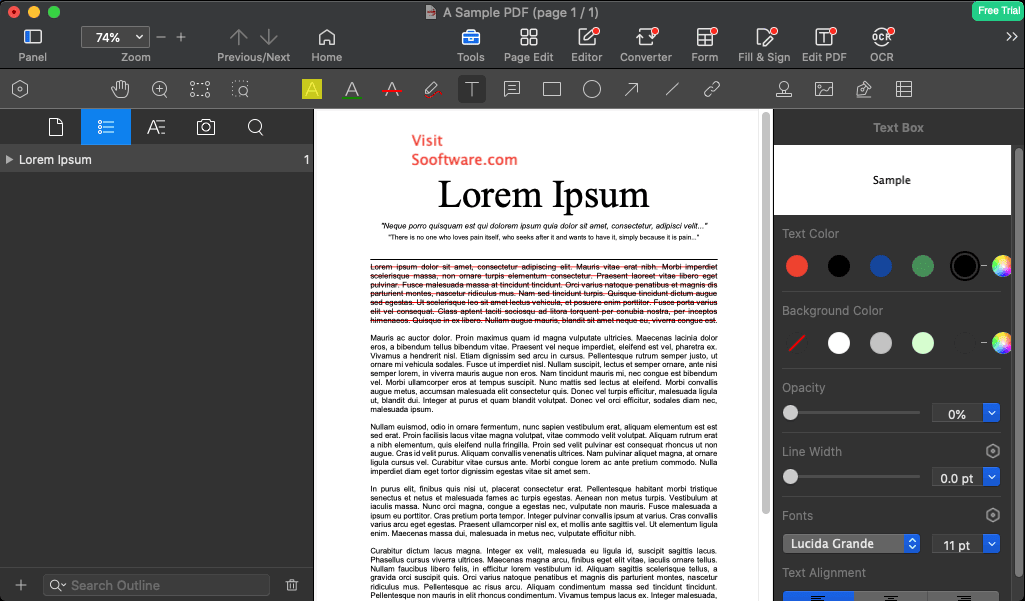
If you are a Mac user and manage PDF files often, you should definitely be on the lookout for a full PDF suite that offers enough features so you don't have to juggle multiple programs. Let's see how the full version of PDF Reader Pro manages to satisfy those basic needs.
Familiar and clean interface
The app's design mirrors the Lite version, and it definitely looks great. Features are easily accessible from the button bar at the top of the window. Some of the most useful options are displayed right in the center of the window until you open a document.Conversion and layout editing
It includes a built-in converter to and from PDF, Word, HTML, Text, JPEG, Excel, and other formats. You can also add or create watermarks, backgrounds, headers, footers, and page numbers. The included PDF editor allows you to modify a file without breaking its formatting. You can change the flow of your document by merging different files, reordering pages, and adding or removing pages however you want.Text extraction and form filling
One of the standout additions is the OCR capability. When you insert an image or a scanned PDF, the app extracts text that you can immediately process digitally. Other interesting features include fillable forms, document signing, and comprehensive editing tools that genuinely preserve file layouts.Securing your documents
PDF Reader Pro takes care of your security, letting you create passwords or prevent documents from being copied or printed.A premium suite for power users
PDF Reader Pro is really a full package for users who can handle its hefty price. However, you can take advantage of the 7-day trial before committing, and there are special discounts for education accounts. If you want to make a bulk education or military purchase, you can simply contact the developers. PDF Reader Pro also supports the Volume Purchase Program for organizations or educational institutions.